
Applying for a job on Jobberman just got easier. The application process has been simplified into a few easy steps: selecting the job vacancy of interest, submitting a CV, and clicking the apply button. It’s an Easy Apply.
Here are the three easy steps of applying for a job on Jobberman.
Table of Contents
1. Visit Jobberman’s Website
Applying for a job on Jobberman starts with visiting our website. If you are new to the platform, you will have to create an account before having access to apply for the jobs on the site. But, if you already have an account, simply notice the job vacancy you are interested in, and tap or click ( depends on the device you are using) to redirect you to the job’s description and key responsibilities. Carefully read the details and application instructions. Once you are done and believe you are qualified, you proceed to the next step.
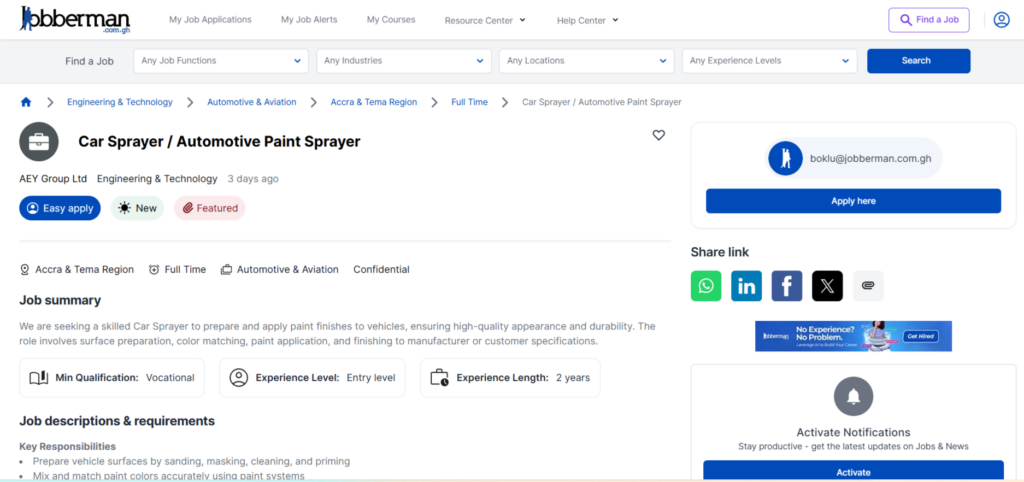
2. Submit Your Credentials
After step one, you will be redirected to submit your credentials and provide important personal information, such as your date of birth and salary expectations. This is where you’d be requested to submit your tailored CV. Once you have tailored your CV to match the job description you read, you can upload it to the platform. This stage also asks you to write a cover letter. You can write a cover letter using the Jobberman AI career tool and copy and paste it.
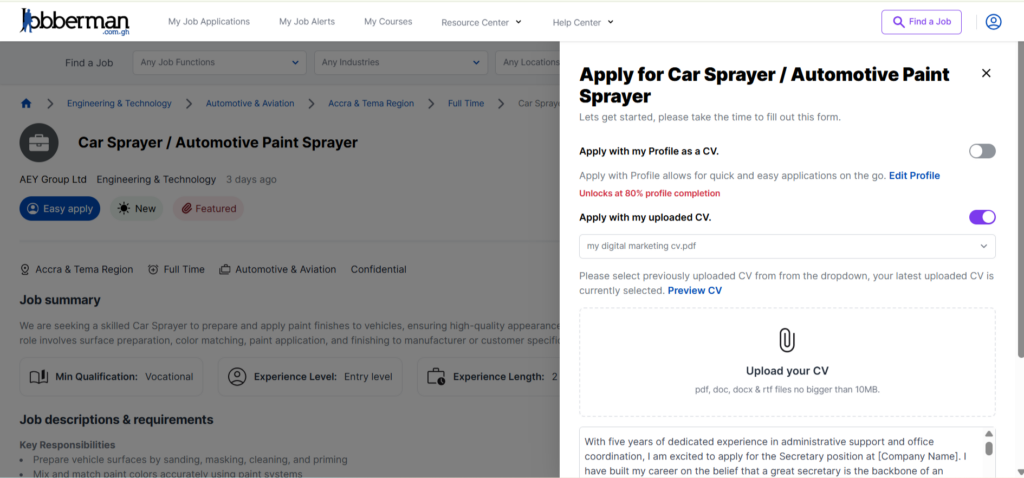
3. Easy Apply
After step three, hit apply and submit your application. You will receive an email to confirm your application.
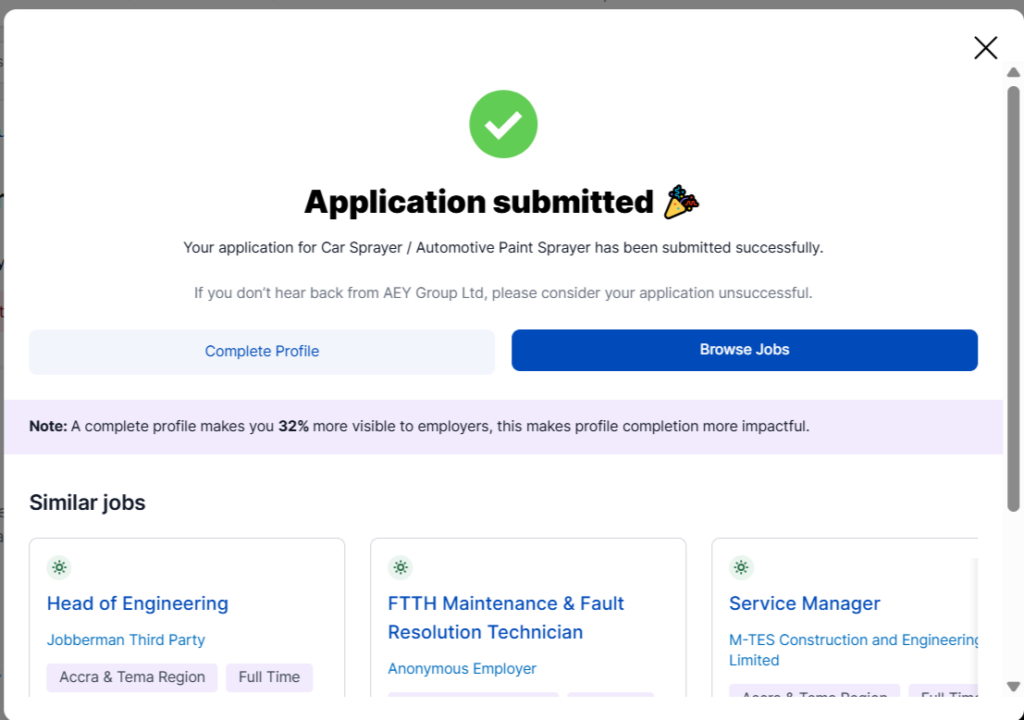
Applying on Jobberman is now very easy. Visit the website to find the job of interest, upload your CV, and write a cover letter. You can write it with the Jobberman AI Career tool. Finally, submit your application, and you will receive a confirmation email.
Visit the Jobberman website. Click or tap on the “sign-up” button in the far right corner of the website. You’ll be redirected to choose between a job seeker and an employer. Choose a “job seeker.” Sign up with Google or LinkedIn, or Enter Your First name, last name, and email address. Create a safety password and add your phone number. When done, click “create account.”
Get access to the AI career tool here.
Yes, you can once you have created an account. To create a job alert, click here.
You will need to submit your personal information (e.g., date of birth and salary expectations) and upload a tailored CV that aligns with the job description.
Yes, you can use the Jobberman AI career tool to generate a cover letter, which you can then copy and paste into your application.
Once you click the final apply button, you will receive a confirmation email indicating that your application has been received.